Thrifty CPU
ArchiveCPU value analyzing plugin
At one point, back in 2017, I felt the need to hoard and own every possible budget CPU. Here's how I achieved that.
Thrifty CPU
Introduction
If you're like me, you enjoy browsing through old or cheap hardware and trying to pick out the best deals. This can be difficult because it's very hard to track the multitude CPU names. There's loads of quick processors that you've never even heard of. I mean what about a 16-core Xeon with single thread scores as good as an FX-8350 f or $50? I say yes!
Features
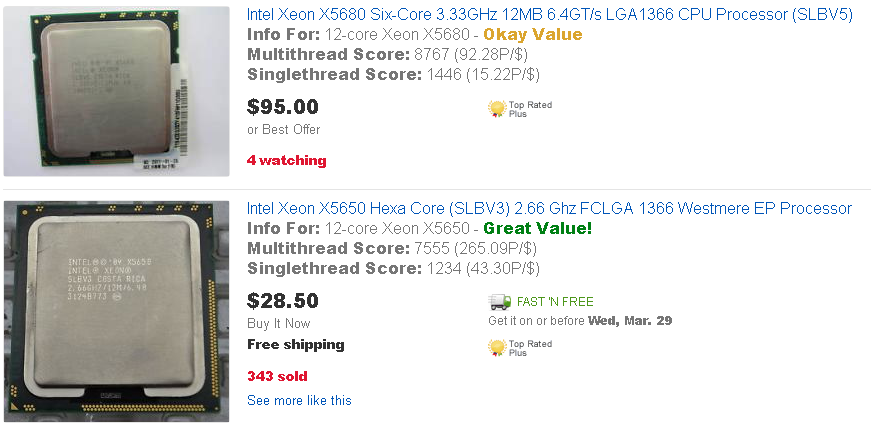
I've written an extension for Chrome. When you have this extension loaded and go to eBay, it will autoload itself and analyze items being displayed on the screen. If it detects a processor, it leverages Passmark's repository of scores to provide you with a short overview of performance on each processor as well as core count.
It looks like this:
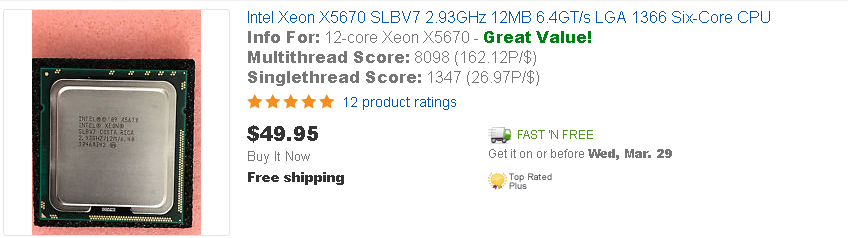
It includes a suggestion regarding the value of the processor (price-performance). I am currently unsure if it is ethical to include that. It is in the first release though.
How is the suggestion calculated? The price to performance is currently somewhat (read as extremely) rough. It is calculated as follows:
(singlethread score * core count + multithread score) * price / 2
That value is run through a check which is:
- 200 and greater - Great value!
- 150 to 200 - Good value!
- 100 to 150 - Okay value
- 50 to 100 - Bad value
- 1 to 50 - Run away
The problem here is that it's hard to weigh single thread vs multithread accurately when there could be processors with up to 64 cores. If someone has any suggestions, I'd be happy to update the formula
What should I know if I use this?
- Due to the program running 100% self contained (it does not reach out to any servers or websites), the entire list of CPU's is stored internally. This causes it to take longer than it would if it offloaded the string comparison to a server with a database.
- Not all listings are detected. I worked to make the detection as good as possible for the first release; but there are still problems. I will work on improving detection for future releases.
- Comparisons do not account for pricing on MULTIPLE CPUs. IE 2 for one server CPUs will be calculated as though the price is for one CPU
- Although it shouldn't happen on a regular basis, the comparison can be wrong (Xeon v3, v4, v5 etc. throw it off occasionally). I've included the processor name in the returned info so you can verify for yourself that it is displaying the information for the correct processor.